
This class project was designed to showcase a range of User Interface principles and how they might be implemented in a real-world product. We were given 20 principles and laws to include in our final prototype and challenged to create a product that would both showcase these principles and be helpful for a user trying to learn new information.
User Interface Designer
January - March 2023 (8 Weeks)
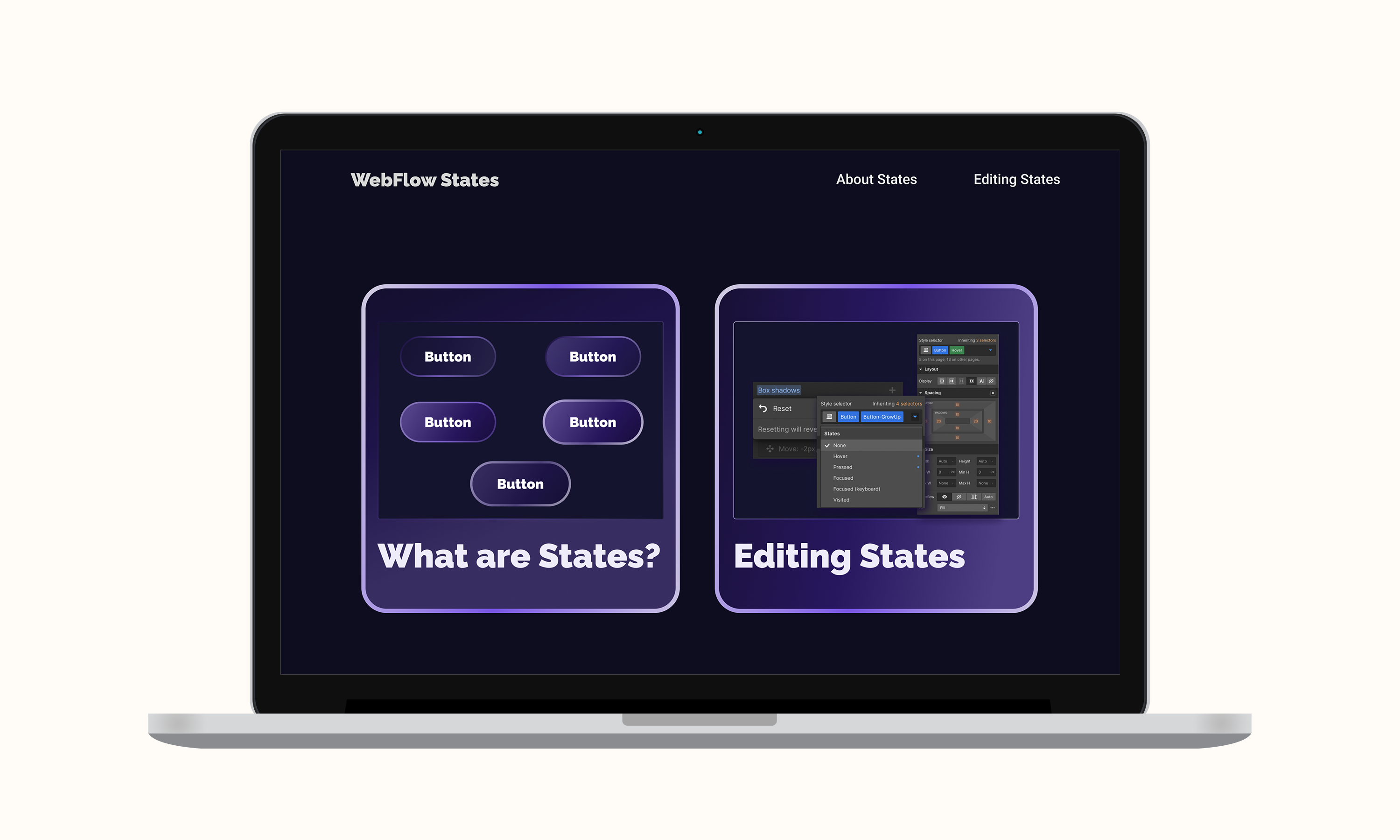
This project was designed to help me develop a better understanding of UI principles and how best to apply them in a real-world design. It helped me to assess how users might interact with an interface, and what I can do as a designer to aid their learning and understanding of different products.
For this project, I wanted to create a learning object that aided users in understanding more complex actions with in the website builder Webflow.
However, more intricately, I wanted to create something that was both pleasing to the eye, and gave the user everything they needed to efficiently learn and process the information that is being provided to them. I wanted the product to feel familiar and intuitive to use, while also bringing a sense of newness to the presented material.
This project spanned the course of 8 weeks as we studied and reviewed the different Laws of UI. It included us writing a project proposal that detailed the plan we had in mind. From this plan, we would then construct the prototype for the final product, making sure to incorporate all the required UI principles.
For this project, we had to submit a written proposal that introduced our project. Within this deliverable, we had to describe our project idea, and the plan that we had in mind for how we would implement it. We also had to define and describe how each of the 20 UI terms would be implemented in our final design.

After writing my project proposal, I moved into Figma to begin prototyping. The proposal was used as my starting reference point, to make sure that I knew how I would be incorporating all of the principles. All 20 of the terms were implemented in some way for the final project, but below are some specific examples of the Laws in use.
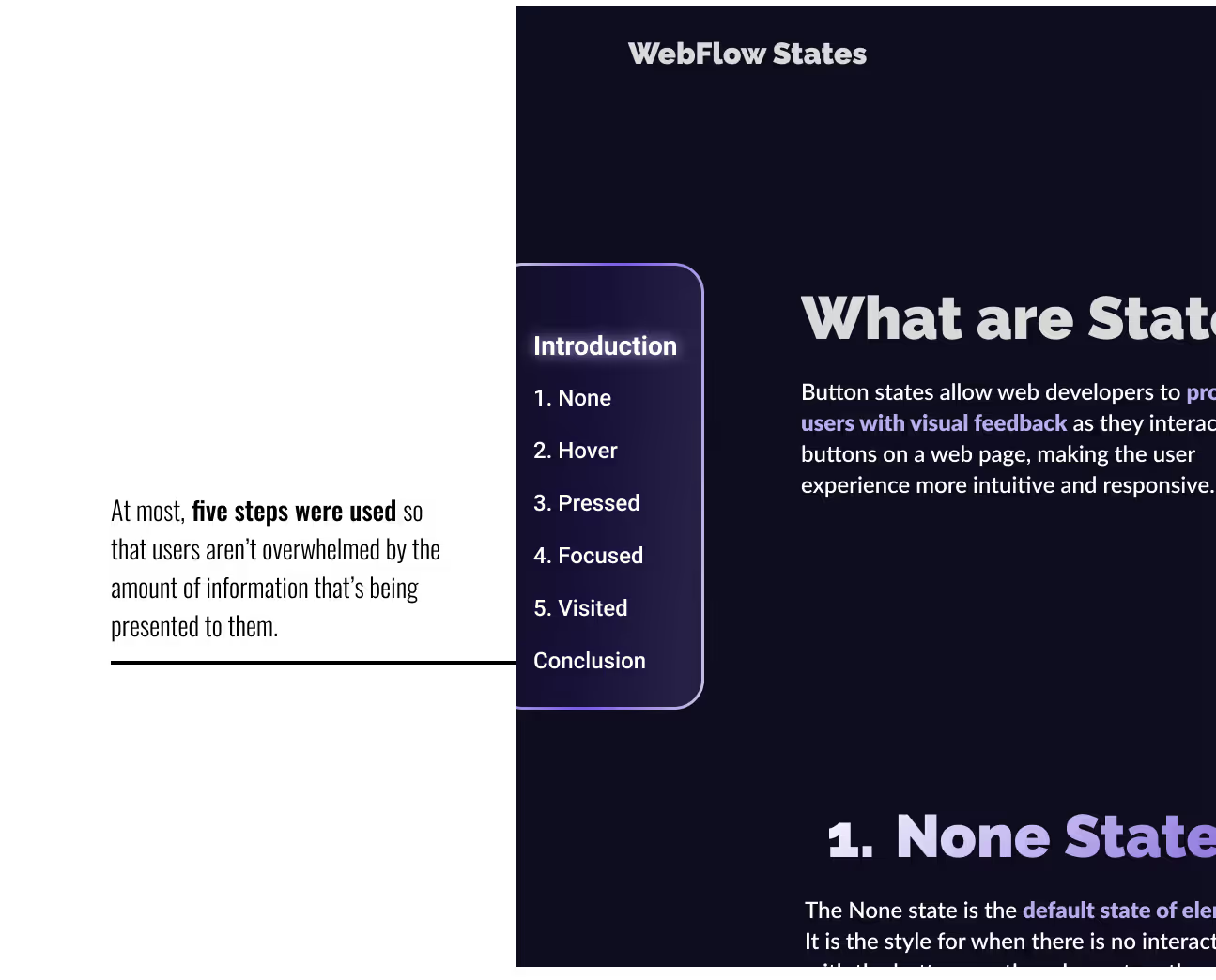
Miller’s Law states that most people can only have seven, plus or minus two, items in their working memory. I will take this into consideration by minimizing the amount of information and steps within the learning sections, so the information does not overwhelm the user.
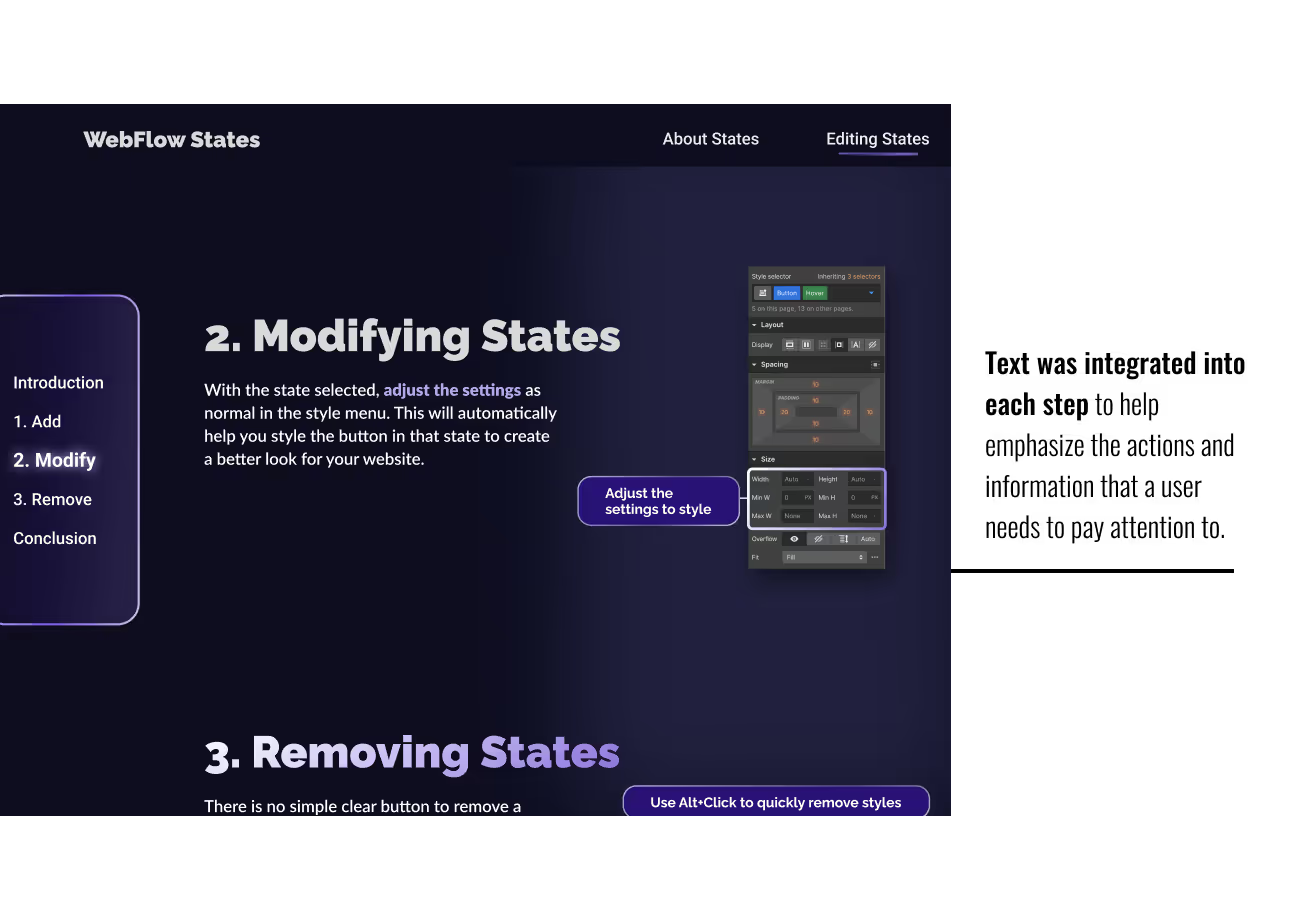
The mini-site will also apply the Spatial Contiguity Principle, which states that users are more likely to retain information that is integrated with both pictures and text, explaining and identifying information clearly. This will be used in pair with the Multimedia Principle to further enhance specific actions and steps that users should pay attention to.
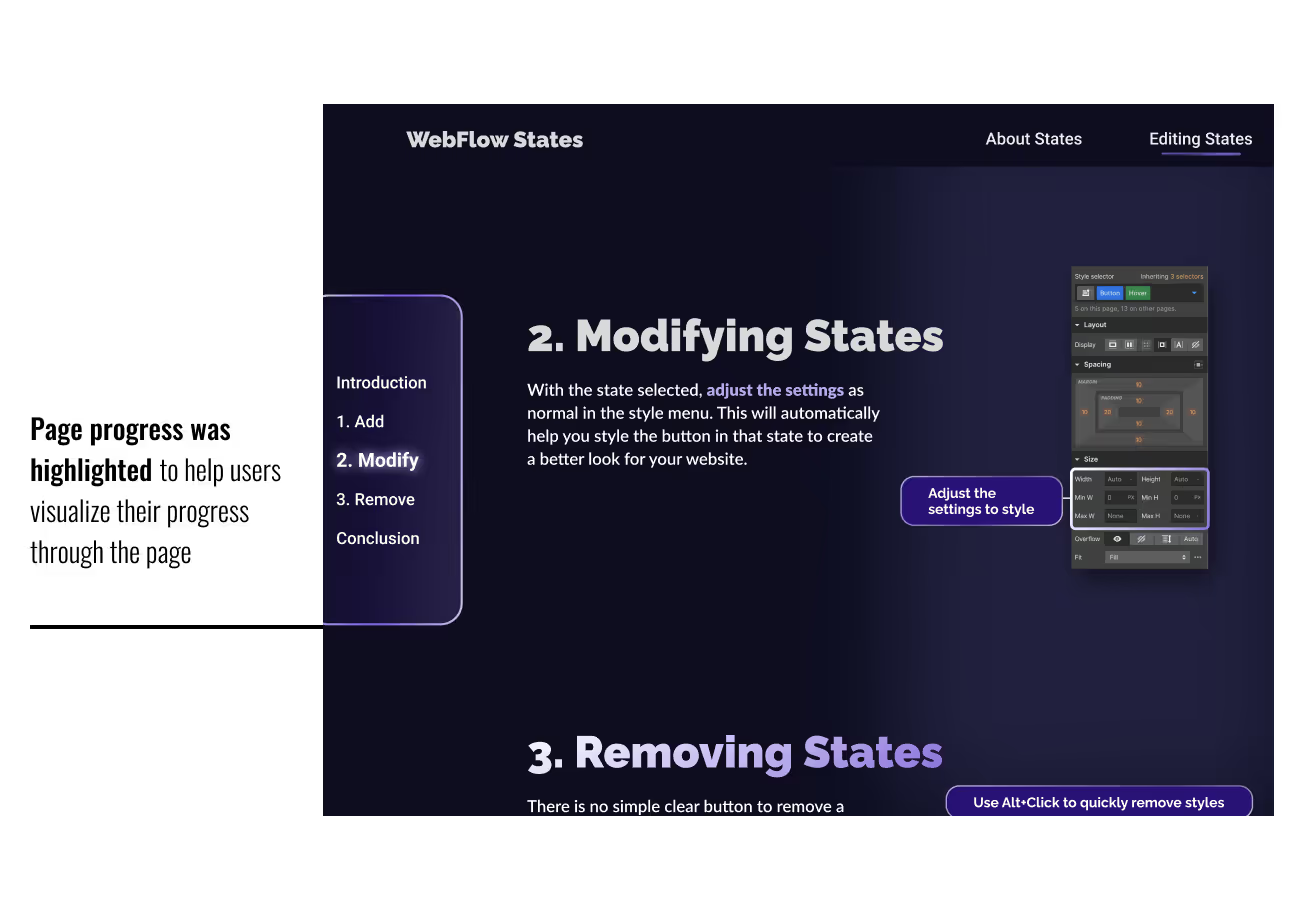
The Zeigarnik Effect states that users are more likely to remember an uncompleted task. This will be taken into consideration by adding a pagination to the learning object that will track a user's progression through the segment.
After a few weeks of prototyping, the project was finalized. It went through several rounds of peer review and critique to help answer questions and find problems within the prototype. After this was all finalized, the final prototype was made ready to present.
The Webflow States tutorial became a microlearning object that would help new users to Webflow learn how to customize buttons within their website, as well as teach them the different functions of button states. The information was provided in a clear, simple, and concise way that is backed up by numerous UI principles that help to fill in the gap of conducting in-depth user research.
Final PrototypeWorking on this project gave me the opportunity to practice working on my User Interface Design skills. We did not have a research portion for this project, and were forced to rely on our knowldege of UI Principles and Laws to design a product that not only looked pleasing, but worked well for the intended users. It was also a good exercise in putting UI principles into practice, and learning how to integrate them creatively and effectively.


